Skip to content

Union Software workspace

Workspace

Keep your team organized every day

Manage tasks, projects, files, and notes in one shared space.
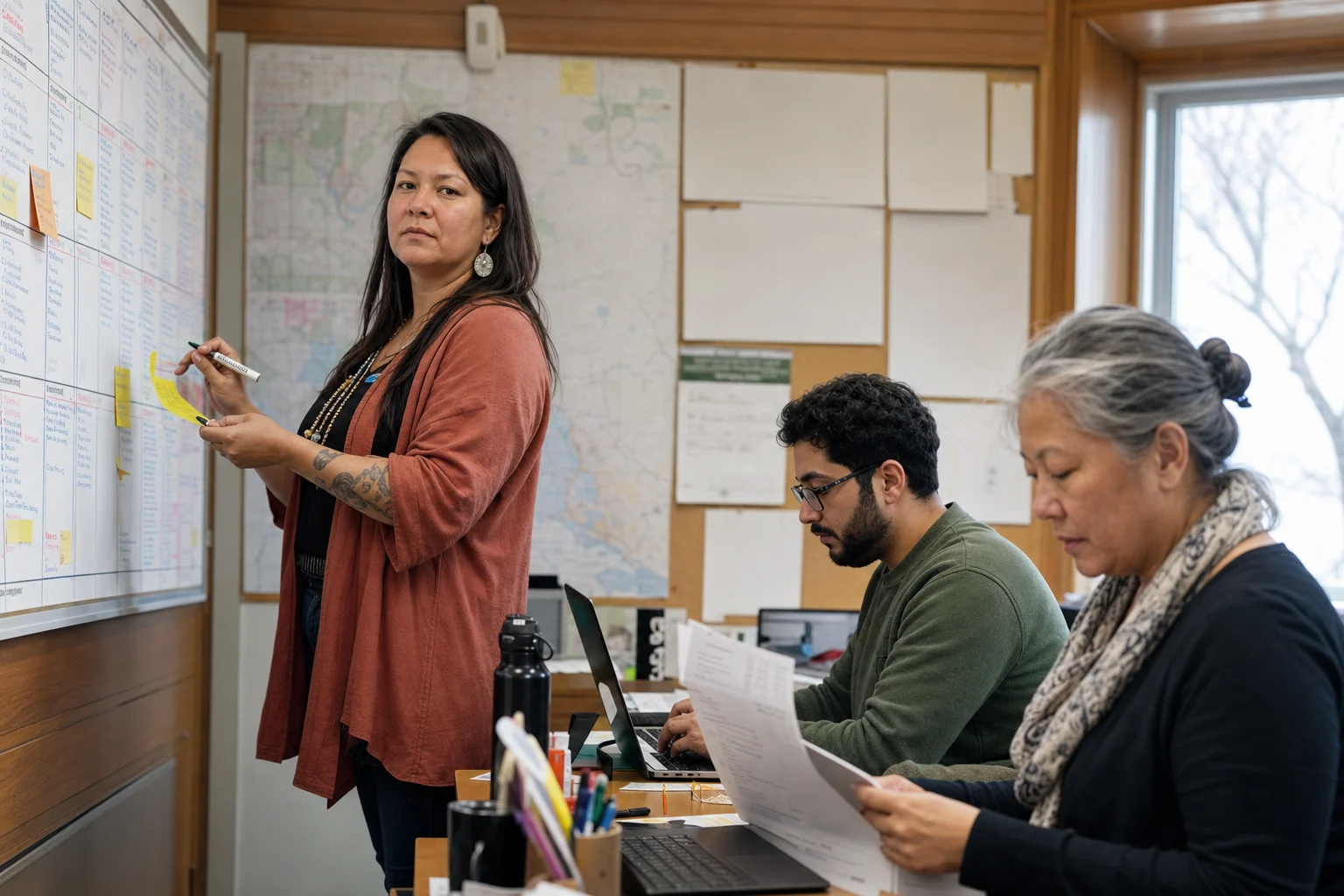
A multigenerational union committee planning work with a wall schedule, laptop, and paper list
A new generation of union leadershipExperienced leaders and newer committee members can work from the same plan without losing the history behind it.

01One place to begin

See what needs attention and who owns it.

Open your own work, the team queue, or every task, then switch between list, board, and calendar views. Priorities, status, owners, and due dates stay visible without another weekly tracking spreadsheet.

AC

All tasks

Plan, assign, and follow work across the union.

Assignee Project Due Priority Tags Sort
To do2
2026 Bargaining

Confirm bargaining committee agenda

Meeting 2/3
AR 6 Today
Member Services

Call members with expiring credentials

Outreach 1/5
MS 3 Sep 19
In progress2
Steward Education

Review steward training registrations

Training 4/6
JC 2 Sep 18
General Meeting

Publish the meeting accessibility plan

Notice 2/4
AR 1 Sep 21
Done2
Executive Office

Prepare September executive report

Report 3/3
NF 4 Sep 20
Governance

Archive approved committee minutes

Records 3/3
JC 0 Sep 22

Staff and elected leaders can start the day knowing what is due and who is moving it forward.

More you can do

Filter by owner, project, priority, status, or date. Save a view for recurring committee work and use board columns when a team needs to see the flow from to-do through review.

02The details travel with the work

Open a task and understand the whole assignment.

Keep the description, owner, date, checklist, files, comments, and activity on the task itself. A committee decision or member-service follow-up does not disappear into someone’s personal inbox.

AC

My Tasks

Everything assigned to you, across every app.

All tasks 18Personal 3Assigned to me 6Due soon 4Overdue 2
Assignee Project Due Priority Tags Sort
To do2
2026 Bargaining

Confirm bargaining committee agenda

Meeting 2/3
AR 6 Today
Member Services

Call members with expiring credentials

Outreach 1/5
MS 3 Sep 19
In progress2
Steward Education

Review steward training registrations

Training 4/6
JC 2 Sep 18
General Meeting

Publish the meeting accessibility plan

Notice 2/4
AR 1 Sep 21
Done2
Executive Office

Prepare September executive report

Report 3/3
NF 4 Sep 20
Governance

Archive approved committee minutes

Records 3/3
JC 0 Sep 22
In progress

Confirm bargaining committee agenda

Review the proposed agenda, attach the latest bargaining update, and confirm the presenters.

AssigneesAlicia RiveraDue dateToday, 4:00 PMPriorityHighProject2026 BargainingTeamBargaining CommitteeTagsMeeting · Member update
Subtasks · 3

Draft agenda reviewed

Speakers confirmed

Attach final bargaining update

The next person can continue the work without asking where the latest file, note, or decision was stored.

More you can do

Mention a teammate, attach a file, add a checklist, change the owner, and follow the full activity history. Link the task to the project that gives it purpose.

One workspace across the union

Give every department room to work. See the whole union moving.

Projects stay close to the team doing the work, while files, related records, and organization-wide reporting keep the larger picture understandable.
Every team gets a clear place to work.

Bargaining, health and safety, political action, executive, member services, education, and other teams can each manage their projects, files, members, and day-to-day queue.

AC
Team workspace

Bargaining

Private team · 8 members

ARJCNF+5
Open tasks145 due this week
Completed22This month
Active projects31 nearing deadline
Team velocity86% On track
Project progress
2026 Collective Bargaining11 of 14 tasks
78%
Wage comparison research7 of 13 tasks
54%
Member ratification plan4 of 12 tasks
32%

03Dates people can trust

Plan meetings, campaigns, and deadlines together.

Use projects and milestones for work that spans a team, then view the same dates on a calendar. The agenda, member notice, accessibility check, follow-up, and minutes can live in one plan.

AC

All tasks

Plan, assign, and follow work across the union.

Assignee Project Due Priority Tags Sort
September 2026
SunMonTueWedThuFriSat
31
1
2
3
4
5
6
7
8
Steward check-in
9
10
11
Member list review
12
13
14
15
Accessibility plan
16
17
Committee agenda
18
Executive report
19
20
21
22
Member notice due
23
24
25
Publish minutes
26
27
28
29
30
1
2
3
4

A meeting or campaign has one working schedule instead of separate versions in email, spreadsheets, and personal calendars.

More you can do

Track project progress, upcoming milestones, overdue work, and team capacity. Use reports to see what is stalled and what a committee has already completed.

04Do not rebuild the routine

Turn repeatable union work into a dependable starting point.

Save the tasks, sequence, dates, roles, and notes behind a recurring process. Start the next membership meeting, steward training, election, or bargaining milestone with the right work already laid out.

AC

Task templates

Reusable task sequences for common union workflows. Spawn a full task tree with one click.

Search templates...

General membership meeting

Meetings

Prepare the agenda, member notice, RSVPs, accessibility, and minutes.

7 subtasks 18 uses

Executive board meeting

Meetings

Collect reports, approve the agenda, record decisions, and assign follow-up.

6 subtasks 11 uses
Preview

General membership meeting

Prepare the agenda, member notice, RSVPs, accessibility, and minutes.

Subtasks (7)
1Set meeting date
2Prepare agenda
3Send member notice
4Track RSVPs
5Publish minutes

New staff and younger committee leaders can follow a proven process without relying on one person’s memory.

More you can do

Create templates for projects and tasks, keep reusable notes, and adjust the owners or dates when the new cycle begins. The template provides structure without locking the team into one way of working.

Built around the union

What teams need to know before moving work out of spreadsheets.

Workspace handles the routine details and the larger projects behind union operations.

Can everyone see their own work?

Yes. My Tasks separates personal assignments from team and union-wide queues.

Use saved filters, list, board, and calendar views without changing the underlying task.

Can we manage recurring deadlines?

Yes. Templates and projects keep the sequence, dates, and owners together.

Use task templates, project templates, milestones, and calendar views for repeatable work.

Can elected leaders and staff collaborate?

Yes. Assign owners, mention teammates, and keep decisions on the work.

Comments, checklists, files, notes, and activity stay attached to the task or project.

Can we find the history later?

Yes. Search tasks, projects, notes, and activity.

Keep status changes, comments, attachments, and completed work available to authorized staff.

Can leadership see progress?

Yes. Project progress and reports show work that is complete, late, or blocked.

Review milestones, owners, due dates, completion, and recurring workload.

Can access follow our team structure?

Yes. Workspace respects roles and assigned work.

Organize the work by team and project while keeping administrative controls with the union.

One system. Current union records.

The project can carry the records needed to finish it.

A task or project can keep working files nearby, identify the responsible team, and relate member, case, agreement, form, or communications work when it provides the context. Authorized staff can continue from the project instead of searching across separate vendors.

WorkspaceThe working record

PeopleMember and staff records
FilesWorking documents
CasesRelated case work
CommunicationsMember notices
AgreementsRelevant language
FormsIntake and responses

Start with the next commitment

Put one meeting, campaign, or committee plan in Workspace.

Bring the tasks, owners, dates, notes, and files together, then reuse the process when the work comes around again.